Your notes, attached to the browser tabs that matter most
Write notes on any browser tab and stick them there forever. Made for studying, research, and everyday browsing.
Add to Firefox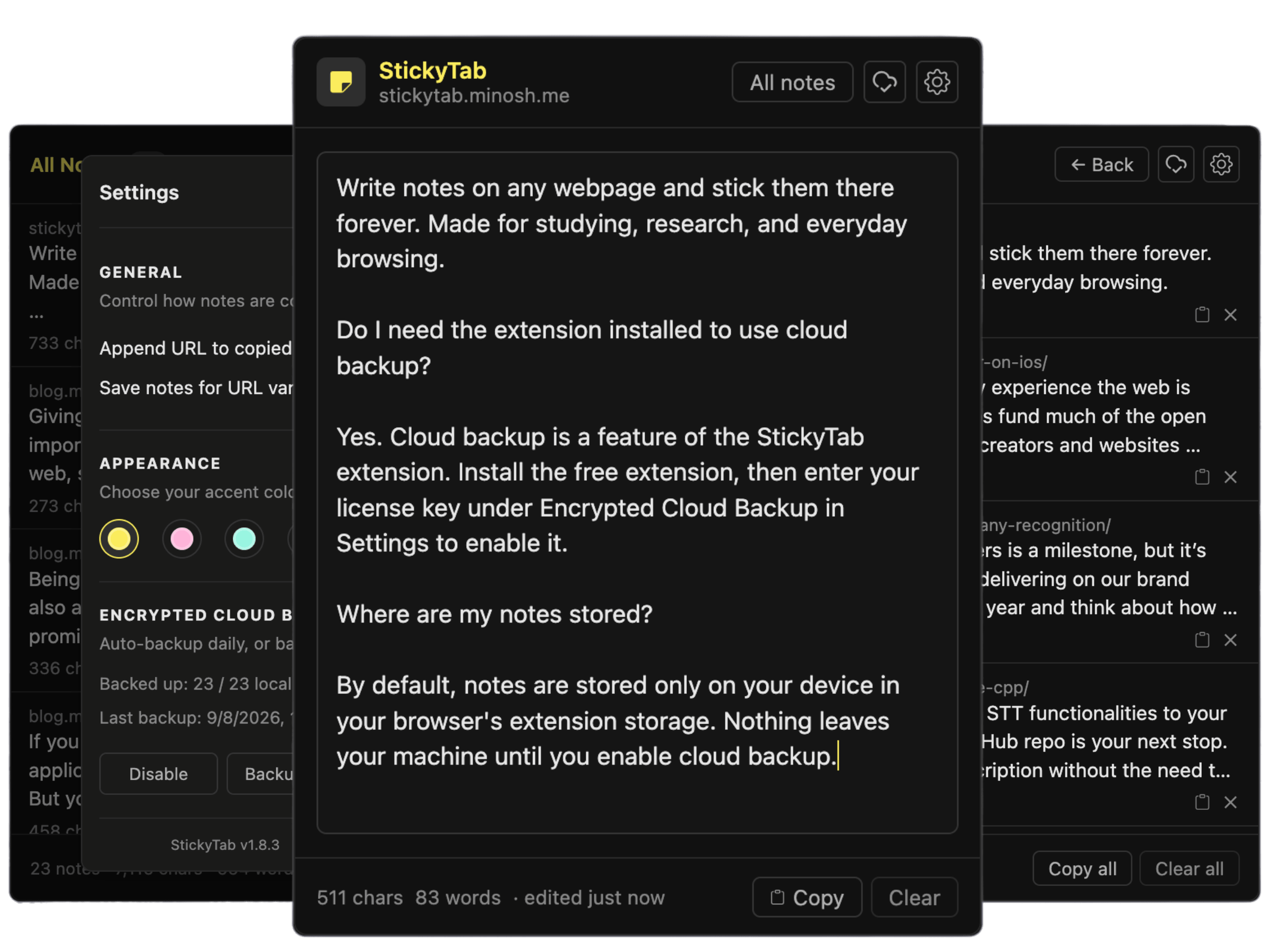
Why StickyTab
Notes that actually remember where you left them.
Notes per URL
Each note is bound to the page you wrote it on.
Visit the page, and it's right there waiting.
Stored only on your device
Notes live in your browser, not on a server. No
accounts, no tracking, no data leaving your
machine unless you enable backup.
At-a-glance indicator
A red line shows on the toolbar icon when a note
exists on the current page, so you're never
lost.
Copy with source URLs
Copy one note or all notes at once with their
page URLs — paste straight into your essay, doc,
or notes app in one click.
Optional encrypted cloud backup
Pay once and your notes are encrypted before
they leave your device, then available on every
other PC.
One-time price, not yearly
The core is free forever. Cloud backup is a
one-time payment — no subscriptions, no
renewals.
Pricing
Free for everyday notes, one-time payment for encrypted cloud backups.
StickyTab
Free
forever · no account needed
✓Unlimited notes on your device
✓Per-page notes that persist
✓Auto-saves as you type
✓All notes in one view
✓Copy notes with source URLs
✓7 color themes
✓No trackers, no data collection
Cloud Backup
$14.99
one-time · no subscription · no renewals
✓Daily automatic backups
✓Up to 1,000 notes, 5,000 chars each
✓Encrypted with your license key
✓Restore on any device with license
key
✓Backup all notes in one click
✓Restore keeps page and note pairing
✓7-day money-back guarantee
Do I need the extension installed to use cloud backup?
Yes. Cloud backup is a feature of the StickyTab
extension. Install the free extension, then enter your
license key under Encrypted Cloud Backup in Settings to
enable it.
Where are my notes stored?
By default, notes are stored only on your device in your
browser's extension storage. Nothing leaves your machine
until you enable cloud backup.
Is my data private?
The free version collects nothing: no trackers, no
analytics. If you enable cloud backup, your notes are
encrypted before they leave your device and can only be
read by you with your license key.
How do I get my notes on another PC?
Install StickyTab on the other device and enter the same
license key. Then use Backup/Restore under Encrypted
Cloud Backup in Settings to pull your notes down.
What does the Cloud Backup license cover?
One license works on any device you own. It covers up to
1,000 notes (5,000 characters each), daily automatic
encrypted backups while enabled, and restoring your
notes on any device with the same license key. It's a
one-time payment — no subscription, no renewals.
What if it doesn't work for me?
You can request a refund within 7 days of purchase. Just
reply to your Gumroad receipt email.